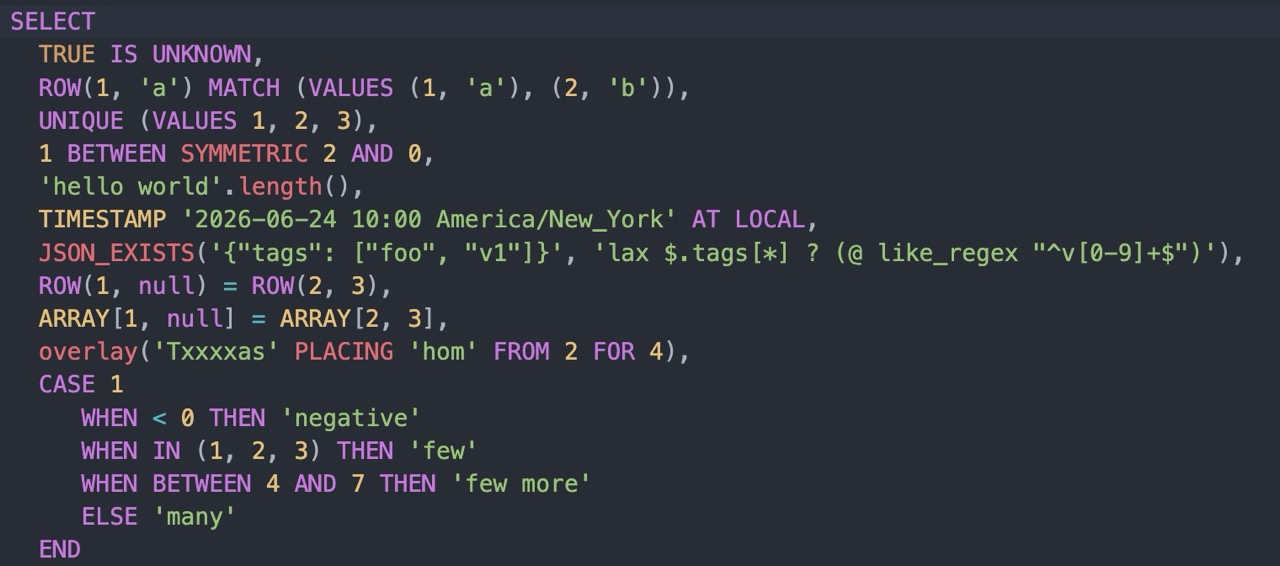
What a query engine runs, before anything else, is a language. And like any language, SQL is defined by its grammar: the predicates, operators, and forms you’re allowed to write down. Trino has always spoken SQL fluently, but the ISO 9075 standard is a big book, and there have always been a few corners of it we hadn’t gotten around to implementing yet.
Trino 482 closes a remarkable number of those gaps in a single release. So many, in fact, that we started calling it the summer of grammar. This post walks through the new language features, and because reading SQL is never quite as convincing as running it, every example below is live. Hit Run and watch Trino 482 evaluate it for real.
BETWEEN, both ways #
Let’s start with an old friend. Everyone knows
x BETWEEN a AND b: it’s just
shorthand for a <= x AND x <= b. The catch is that the order matters. If you
get the bounds backwards, the predicate is silently always false, because nothing
is simultaneously >= 10 and <= 1.
The SQL standard has a fix for this that Trino didn’t previously support: the
SYMMETRIC keyword. x BETWEEN SYMMETRIC a AND b treats the two bounds as an
unordered pair, so it’s true whenever x falls between the smaller and the
larger, regardless of which you wrote first. ASYMMETRIC (the default) spells
out the classic order-sensitive behavior.
SELECT 5 BETWEEN SYMMETRIC 10 AND 1 AS symmetric,
       5 BETWEEN ASYMMETRIC 10 AND 1 AS asymmetric
This is genuinely useful when the bounds come from columns or parameters and you can’t guarantee which one is larger.
Three-valued logic, made explicit #
No discussion of SQL is complete without an exploration of the semantics of
null. SQL uses three-valued
logic: a
boolean expression can be true, false, or unknown (represented by null).
That third value is where a lot of subtle bugs live, because NOT (a > b) is
not the same as a <= b once null enters the picture.
The standard’s answer is the
IS [NOT] TRUE, IS [NOT] FALSE, and IS [NOT]
UNKNOWN predicates, and they now work
in Trino. Unlike =, these always return true or false, and never null. That
is exactly what you want when you need to collapse three-valued logic back down
to two.
SELECT (1 > 2) IS FALSE AS is_false,
       (1 < 2) IS TRUE AS is_true,
       CAST(NULL AS boolean) IS UNKNOWN AS is_unknown
Looking inside subqueries #
Two new predicates let you ask questions about the shape of a subquery’s results, not just its values.
The UNIQUE predicate is true when no two rows returned by a subquery are equal.
It’s the declarative way to assert “this subquery has no duplicates” without
contorting yourself into a GROUP BY ... HAVING count(*) > 1 and checking
whether it’s empty.
SELECT UNIQUE (SELECT x FROM (VALUES 1, 2, 3) t(x)) AS all_distinct,
       UNIQUE (SELECT x FROM (VALUES 1, 2, 2) t(x)) AS has_duplicate
The MATCH predicate tests whether a row value appears in a subquery’s results.
Add the UNIQUE keyword and it’s true only when the row matches exactly one
row, a neat way to express “this value exists, and there’s only one of it.”
SELECT 2 MATCH (SELECT x FROM (VALUES 1, 2, 3) t(x)) AS found,
       2 MATCH UNIQUE (SELECT x FROM (VALUES 1, 2, 2) t(x)) AS found_once
CASE gets some opinions #
A simple CASE expression
(CASE x WHEN 1 THEN ... WHEN 2 THEN ... END) traditionally only compares the
operand for equality against each WHEN value. If you wanted ranges or IS NULL
checks, you had to switch to a searched CASE and repeat the operand in every
branch.
No longer. The WHEN clauses of a simple CASE can now contain comparison
operators, BETWEEN, and IS NULL, so you write the operand once and let each
branch apply its own predicate to it.
SELECT x,
       CASE x
           WHEN < 0 THEN 'negative'
           WHEN BETWEEN 0 AND 9 THEN 'small'
           ELSE 'large'
       END AS bucket
FROM (VALUES -5, 3, 100) t(x)
Time, locally #
Trino has long supported
AT TIME ZONE to render a timestamp in
a specific zone. The standard also defines AT LOCAL, which converts a value to
the session’s own time zone without you having to name it explicitly. It’s the
difference between “show me this in America/Los_Angeles” and “show me this
wherever I happen to be.”
SELECT TIMESTAMP '2026-06-21 14:00:00 America/Los_Angeles' AT LOCAL AS in_my_zone
The result above is rendered in the session’s time zone. Change the session zone and the same expression follows you there.
Calling functions with named arguments #
When a function takes more than two or three arguments, positional calls become a
guessing game: which argument was the fourth one, again? Trino 482 adds the
standard name => value syntax for passing arguments by name, in any order.
This is especially handy for table functions, which often have several optional parameters, but it works for any function whose parameters are named, including the user-defined functions you write yourself. Notice that the call below supplies the arguments in the opposite order from the declaration, and gets the right answer anyway:
WITH FUNCTION add_tax(price double, rate double)
    RETURNS double
    RETURN price * (1 + rate)
SELECT add_tax(rate => 0.20, price => 100.0) AS total_with_tax
New functions, and a new way to call the old ones #
A handful of new functions landed as well.
OVERLAY is the standard string function
for splicing one string into another, replacing a span you identify by position
and length:
SELECT OVERLAY('Hello World' PLACING 'Trino' FROM 7 FOR 5) AS spliced
There’s a new ends_with function, the
obvious companion to the long-standing starts_with, and a
ROW::fields function that returns the field
names of a row value, which is handy when you’re working with anonymous or
programmatically-built rows.
SELECT ends_with('trino.io', '.io') AS yes,
       ROW::fields(CAST(ROW(1, 'a') AS ROW(id integer, name varchar))) AS field_names
Perhaps the most fun addition is ergonomic rather than functional: you can now
invoke string functions as methods on character values. 'Trino'.length() is
just another way to write length('Trino'), and the type::function form lets
you reach a function through its type. It reads naturally when you’re chaining
transformations.
SELECT 'Trino'.length() AS length,
       varchar::chr(65) AS letter_a
char and varchar make peace #
This is the one to read carefully, because it’s a deliberate breaking change.
For historical reasons, Trino used to implicitly coerce varchar to char,
which dragged in char’s blank-padded comparison semantics and surprised just
about everyone. Trino 482 reverses the direction: a
char value now coerces to varchar with
its trailing spaces removed, and comparisons between the two follow ordinary
varchar semantics, where trailing spaces are significant and nothing is
silently padded.
In practice this means char values behave the way your intuition expects when
they meet varchar:
SELECT CAST('abc' AS char(5)) || '!' AS concatenated,
       CAST('abc' AS char(5)) = 'abc' AS equal,
       CAST('abc' AS char(5)) = 'abc   ' AS equal_with_spaces
The char(5) value 'abc' is stored padded to five characters, but on its way
into a varchar context the padding is dropped, so the concatenation produces
abc!, and the comparison against 'abc' is true while the comparison against
'abc ' is false. If you depend on the old behavior, you can restore it by
setting the deprecated.legacy-varchar-to-char-coercion configuration property
to true, but we’d encourage you to move off it.
Relatedly, char values can now be cast directly to numeric, boolean,
varbinary, and temporal types, which previously required a detour through
varchar:
SELECT CAST(CAST('2026-06-21' AS char(10)) AS date) AS as_date,
       CAST(CAST('123' AS char(3)) AS integer) AS as_integer
And a few more #
A couple of smaller grammar improvements round things out.
SQL/JSON path expressions gained the like_regex predicate, so you can filter
inside a JSON document with json_exists
using a regular expression rather than exact matches:
SELECT json_exists('["foobar", "baz"]', 'lax $[*] ? (@ like_regex "^foo")') AS has_match
And row and array values that contain null elements can now be compared and
ordered (in ORDER BY, DISTINCT, min, max, and range comparisons) where
they previously would have failed. null elements sort consistently to the end:
SELECT x
FROM (VALUES (ARRAY[1, 1]), (ARRAY[1, 2]), (ARRAY[1, NULL])) t(x)
ORDER BY x
Wrapping up #
None of these features is, on its own, the headline of a release. But taken together they make Trino’s dialect of SQL noticeably more complete and more pleasant to write: fewer workarounds, fewer “why doesn’t the standard form work here,” and a few genuinely new tools. That’s a good summer’s work on the grammar.
For the complete list, including the connector and engine improvements we didn’t cover here, see the Trino 482 release notes.
Happy querying!